
Table of Contents
Savitribai Phule Pune University (SPPU) has declared a fresh batch of results on 15 July 2026, covering 19 programmes under the Summer Session 2026 examination cycle, along with one Winter Session 2025 course carried over into this release. Students of B.Pharmacy, Pharm.D, B.Arch, MBA, MCA, MA, and B.E. can now log in to the result portal with their seat number and download their provisional marksheet. Read below for the direct link, course-wise result dates, and the complete download process.
Savitribai Phule Pune University (SPPU) continues to roll out results in phases through its official portal, onlineresults.unipune.ac.in, with fresh batches added even after the 15 July 2026 declaration covering MCA, MA, MBA, and B.E. Since then, the university has expanded the list more, bringing out results for M.Sc and several additional postgraduate courses under both the Summer Session 2026 and Winter Session 2025 cycles.
SPPU Result 2026 Out
SPPU declared results for Third and Fourth Year B.Pharmacy, Third and Fourth Year Pharm.D., First Year B.Arch, five MBA specialisations, MCA (Engineering), and MA on 15 July 2026. Two of the MBA First Year results in this list, Project Management and Digital Marketing, belong to the Winter Session 2025 exam cycle rather than Summer Session 2026, even though both were announced on the same date as the rest.
- SPPU is following a rolling, phase-wise release pattern, so candidates whose course result isn’t out yet should watch for updates rather than assume a delay.
- Both Summer Session 2026 and Winter Session 2025 results are being published together on the same portal, so students should select the correct exam session before searching for their course.
- The result available online remains a provisional marksheet only; the original marksheet will be issued separately through respective colleges.
- Students should rely only on onlineresults.unipune.ac.in or unipune.ac.in for checking results, since unofficial third-party sites have been circulating misleading result claims.
- Those unsatisfied with their marks can apply for revaluation through the official portal within the prescribed deadline after result declaration.
SPPU Result 2026: Overview
Below is the Overview of SPPU Result 2026:
| Particulars | Details |
|---|---|
| University Name | Savitribai Phule Pune University (SPPU) |
| Result Declared For | 19 programmes (UG & PG) |
| Exam Session | Summer Session 2026 (two MBA courses under Winter Session 2025) |
| Date of Declaration | 15 July 2026 |
| Result Type | Provisional marksheet (online) |
| Official Result Portal | onlineresults.unipune.ac.in |
| Login Requirement | Seat Number and Mother’s Name |
| Result Mode | Online only |
SPPU Result 2026 PDF Download Link
Use the table below to check the exact programme and result declaration date. All 19 results went live on 15 July 2026.
| Course Name | Exam Session | Result Date | Result Link |
|---|---|---|---|
| Third Year B.Pharmacy (2019 Pattern) | Summer Session 2026 | 15 July 2026 | Click Here |
| Fourth Year B.Pharmacy (2019 Pattern) | Summer Session 2026 | 15 July 2026 | Click Here |
| Third Year Pharm.D. (Doctor of Pharmacy) | Summer Session 2026 | 15 July 2026 | Click Here |
| Fourth Year Pharm.D. (Doctor of Pharmacy) | Summer Session 2026 | 15 July 2026 | Click Here |
| First Year B.Arch (2025 Pattern) | Summer Session 2026 | 15 July 2026 | Click Here |
| First Year MBA (Information Technology) (2024 Pattern, NEP 2020) | Summer Session 2026 | 15 July 2026 | Click Here |
| Second Year MBA (Information Technology) (2024 Pattern, NEP 2020) | Summer Session 2026 | 15 July 2026 | Click Here |
| First Year MBA (Human Resource Development) (2024 Pattern, NEP 2020) | Summer Session 2026 | 15 July 2026 | Click Here |
| Second Year MBA (Human Resource Development) (2024 Pattern, NEP 2020) | Summer Session 2026 | 15 July 2026 | Click Here |
| First Year MCA (Engineering) (2020 Pattern) | Summer Session 2026 | 15 July 2026 | Click Here |
| Second Year MCA (Engineering) (2020 Pattern) | Summer Session 2026 | 15 July 2026 | Click Here |
| First Year MA (2024 Pattern, NEP 2020) | Summer Session 2026 | 15 July 2026 | Click Here |
| Second Year MA (2024 Pattern, NEP 2020) | Summer Session 2026 | 15 July 2026 | Click Here |
| First Year MBA (Project Management) (2024 Pattern, NEP 2020) | Winter Session 2025 | 15 July 2026 | Click Here |
| Second Year MBA (Project Management) (2024 Pattern, NEP 2020) | Summer Session 2026 | 15 July 2026 | Click Here |
| First Year MBA (Digital Marketing) (2024 Pattern, NEP 2020) | Winter Session 2025 | 15 July 2026 | Click Here |
| Second Year MBA (Digital Marketing) (2024 Pattern, NEP 2020) | Summer Session 2026 | 15 July 2026 | Click Here |
| Second Year MBA (Fintech) (2024 Pattern, NEP 2020) | Summer Session 2026 | 15 July 2026 | Click Here |
| B.E. (2019 Pattern) | Summer Session 2026 | 15 July 2026 | Click Here |
How to Download SPPU Result 2026 PDF?
Downloading your SPPU Result 2026 is a straightforward process. Candidates need to visit the official SPPU website and navigate to the student corner section. Keep your seat number and mother’s name handy, as these credentials are mandatory to access the result. Follow the step-by-step guide below:
- Step 1: Visit the official SPPU website – www.unipune.ac.in
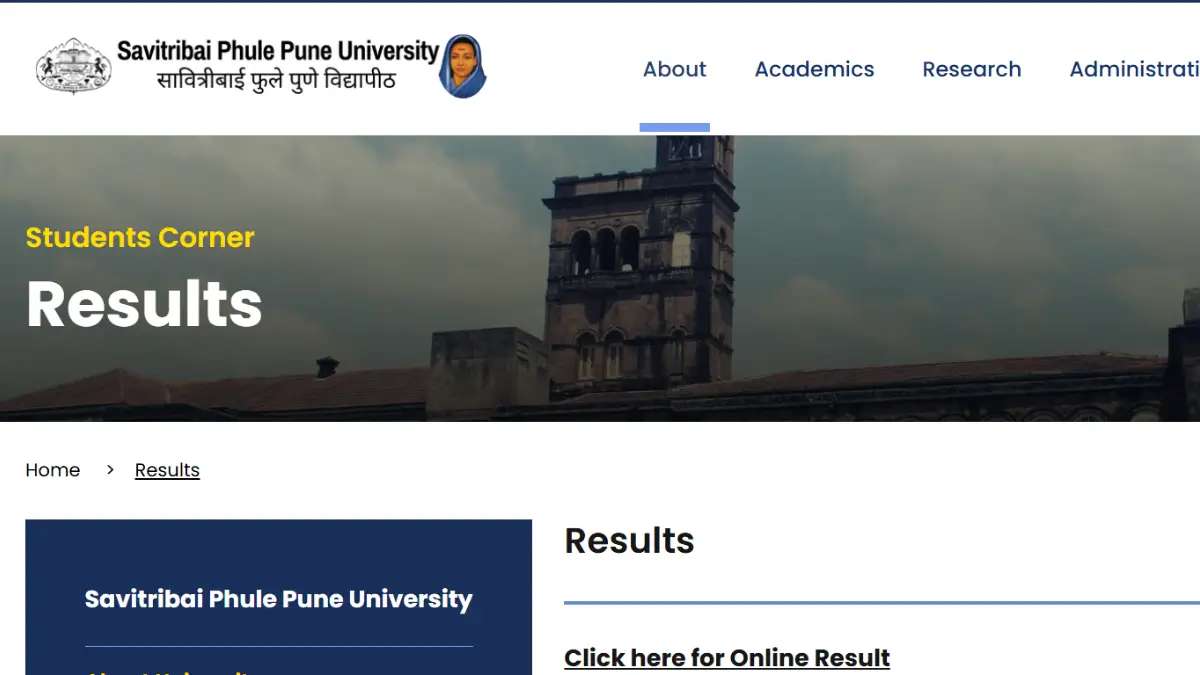
- Step 2: Navigate to the Student Corner and click on the Result option.
- Step 3: Click on “Online Result” from the available options.
- Step 4: Select your course from the list and click on the “Go for Result” option on the right side.
- Step 5: Enter your Seat Number and Mother’s Name, then click on “Check Result”.
- Step 6: Your SPPU result will be displayed on the screen. Download and save the marksheet PDF for future reference.
Details Mentioned in the SPPU Result 2026
The SPPU marksheet 2026 contains all essential academic and personal details of the candidate. If any error or discrepancy is found, students should immediately contact the SPPU examination authority to get it corrected before the deadline. The following details are mentioned on the SPPU Result 2026 marksheet:
- Student Name
- Register Number
- Name of Course
- Course/Subject Code
- Course/Subject Name
- Maximum Marks
- Marks Obtained
- Total Marks
- Result Status (Pass/Fail)
- Result Date
What’s Next After SPPU Result 2026?
Once you have successfully downloaded and verified your SPPU Result 2026, there are several important steps you should consider going forward. Students who have cleared all subjects should begin preparing for the next semester or explore higher education and placement opportunities.
- Passed All Subjects: Proceed with next semester registration, apply for internships, or start preparing for competitive exams and placements.
- Backlog / ATKT: Keep an eye on the SPPU supplementary exam schedule and apply before the deadline.
- Discrepancy in Result: Contact the SPPU examination cell immediately with supporting documents for revaluation or correction.
- Final Year Students: Apply for convocation, collect your original marksheets, and degree certificates from the university.
- Higher Studies: Start preparing for entrance exams like GATE, CAT, GRE, or apply for PG/PhD admissions at SPPU or other universities.
SPPU Result 2026: FAQs
Ques: How can I check my SPPU Result 2026?
Ans: Visit the official website unipune.ac.in, go to Student Corner > Result > Online Result, enter your seat number and mother’s name, and click ” Result.”
Ques: What details are needed to download the SPPU Result 2026?
Ans: You need your seat number and mother’s name to access and download your SPPU Result 2026 marksheet.
Ques: What should I do if there is an error in my SPPU marksheet?
Ans: Contact the SPPU examination authority immediately with the relevant documents to request a correction.
Ques: Can I apply for revaluation of my SPPU Result 2026?
Ans: Yes, SPPU allows students to apply for revaluation or verification of marks through the official website within the prescribed deadline.



 Karnataka SET Result 2026 Out at cetonli...
 Teaching Exam Calender 2026, Check Upcom...
 UP ECCE Educator Recruitment 2026 Out, A...