
Table of Contents
Anna University has released the results for the April/May 2026 semester examinations on the official Controller of Examinations portal. Students who appeared for the eligible UG and PG semester examinations can check their results online. The result can be accessed using the Registration Number and Date of Birth. The current result release covers several semesters and programs under Anna University. Students can check their UG and PG results through the official portal coe1.annauniv.edu. Read the article below to get the direct download link of your result and other related details.
Anna University Result 2026 Out
Anna University released April/May 2026 semester results for affiliated colleges. The Controller of Examinations (COE) has uploaded the results on the official portal. Students from BE, BTech, ME, MTech, MBA, MCA, B.Arch, and other programs can now check their scores. Results for First and Second Year students are not included in this release and will come later. To check their result, students need to log in to the student portal by entering the registration number and date of birth.
Anna University Result 2026: Overview
Here is a quick summary of all the key details about Anna University Results 2026. Students can refer to this table to know the basic information at a glance.
| Detail | Information |
|---|---|
| Conducting Body | Controller of Examinations (COE), Anna University, Chennai |
| Examination Session | April/May 2026 |
| Result Coverage | All semesters except First and Second Year |
| Official Result Portals | coe1.annauniv.edu and coe.annauniv.edu |
| Login Credentials Required | Registration Number and Date of Birth |
| Applicable Programmes | BE, BTech, ME, MTech, B.Arch, M.Arch, MBA, MCA, B.Voc |
| Alternate Access | STUCOR mobile app |
| Scorecard Format | PDF download available |
Anna University Result 2026 Download Link
Students can use the direct links given below to access their Anna University semester results. The COE portal may face heavy traffic on result day, so keep trying if the page does not load. You can also use the STUCOR app as an alternative way to check your result.
| Content | Link |
|---|---|
| COE Portal 1 | Click Here |
| COE Portal 2 | Click Here |
| Alternate App | STUCOR Mobile App (Available on Play Store) |
How to Check Anna University Result 2026?
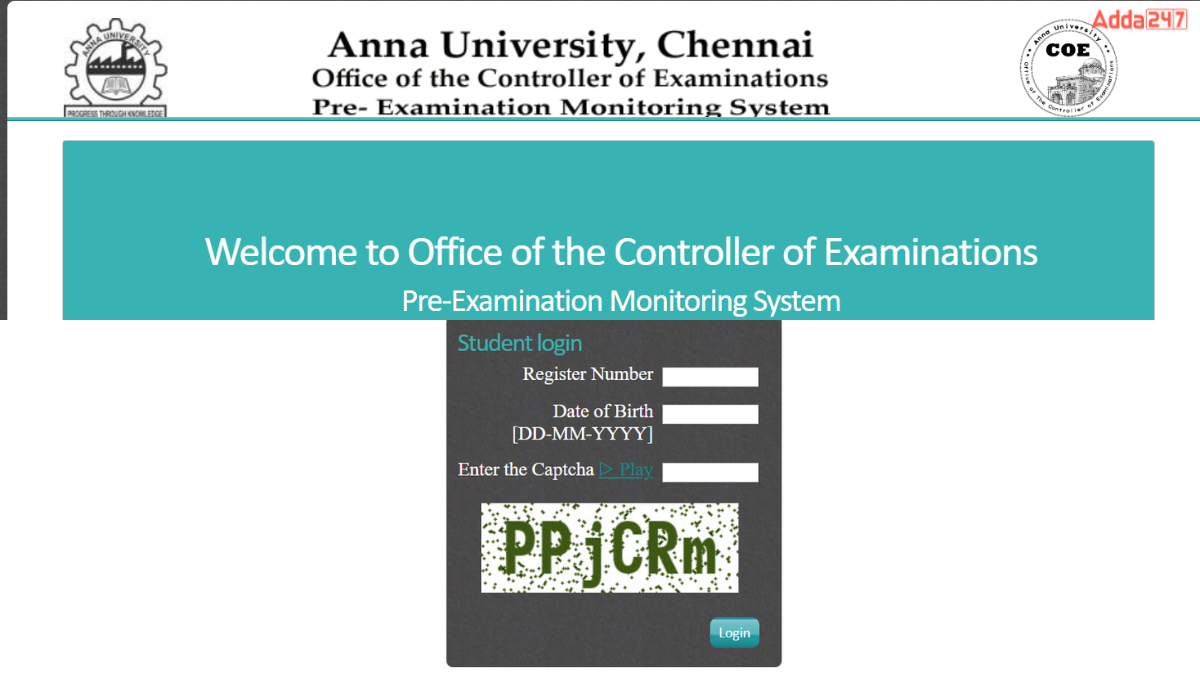
Checking your Anna University result is a simple process. You just need your Registration Number and Date of Birth to log in. Follow the steps given below carefully to view and download your scorecard. Make sure you have a good internet connection before starting.
- Step 1: Open your browser and go to coe1.annauniv.edu or coe.annauniv.edu.
- Step 2: Look for the “April/May 2026 Examination Results” notice on the homepage.
- Step 3: Click on the result link for your programme (UG or PG).
- Step 4: Enter your 12-digit Registration Number from your hall ticket.
- Step 5: Enter your Date of Birth in DD-MM-YYYY format.
- Step 6: Type the captcha code shown on the screen.
- Step 7: Click the “Submit” or “Login” button.
- Step 8: Your subject-wise result will appear on the screen.
- Step 9: Click “Download” or “Print” to save the scorecard as a PDF file.
How to Retrieve Your Login Details?
Sometimes students forget their Registration Number or Date of Birth format, which stops them from logging in. Do not worry if this happens to you. There are easy ways to recover your login details and access your result. Follow the steps below to solve this issue quickly.
- Forgot Registration Number: Check your hall ticket or ID card. Your 12-digit Registration Number is printed on it. You can also ask your college examination cell for help.
- Date of Birth Not Working: Make sure you are entering it in DD-MM-YYYY format only. Double-check that it matches the DOB you gave during admission.
- Portal Not Loading: The website may be slow due to heavy traffic. Try again after some time or use a different browser.
- College Help Desk: Visit or call your college examination section. They can provide your correct registration details.
- STUCOR App: You can also try the STUCOR mobile app to check your result as an alternative method.
Details Mentioned in Anna University Scorecard
The Anna University scorecard contains all the important academic details of the student. It is a provisional document that shows your exam performance for the semester. Students should check all the information carefully after downloading it. Any mistake should be reported to the college examination cell immediately.
- Student’s Full Name
- Registration Number
- Programme Name (BE/BTech/ME/MTech/MBA/MCA etc.)
- Semester Number
- Subject Code and Subject Name for each paper
- Internal Assessment Marks
- End Semester Exam Marks
- Total Marks for each subject
- Grade and Grade Point for each subject
- Result Status – Pass (P) or Reappear (RA)
- Semester GPA
- Cumulative GPA (CGPA)
What’s Next After the Anna University Result 2026?
After checking your results, there are a few things you should do right away. If you have passed all subjects, you can prepare for the next semester or placement drives. If you have any backlogs, you need to register for the supplementary exam in the next session. Keep a printed copy of your scorecard safe for future use.
- All Subjects Passed: Move forward to the next semester or final placements.
- Backlogs (RA in any subject): Register for the arrear exam in the upcoming Nov/Dec 2026 session.
- Revaluation Needed: Apply for revaluation or retotaling through your college within the given deadline.
- Final Year Students: Collect your provisional degree certificate and consolidated marksheet from your college.
- Higher Studies: Use the scorecard for applying to PG programs, GATE, or other entrance exams.









 KSET Result 2026 Out at cetonline.karnat...
 UPPSC LT Grade Teacher Mains Result 2026...
 RPSC Grade 2 Teacher Result 2026 Out @rp...