
The Punjab Public Service Commission (PPSC) has released the Punjab PCS Mains Admit Card 2026 on its official website, ppsc.gov.in. Candidates who qualified for the mains exam can download their hall ticket using their registration number and date of birth.
The Punjab Public Service Commission has scheduled the PCS Mains Exam from 1 April to 10 April 2026. The admit card contains key details such as exam date, centre, and reporting time. Candidates should download it and verify all the information carefully.
Punjab PCS Mains Admit Card 2026 Out
The Punjab Public Service Commission (PPSC) has released the Punjab PCS Mains Admit Card 2026 on its official website. Candidates who have qualified in the preliminary examination now download their admit card by using their registration number and date of birth. The Punjab PCS Recruitment 2026 is being conducted to fill 331 vacancies in various administrative posts under the state government. Candidates must carry a printed copy of the admit card to the examination centre along with a valid photo ID proof for verification.
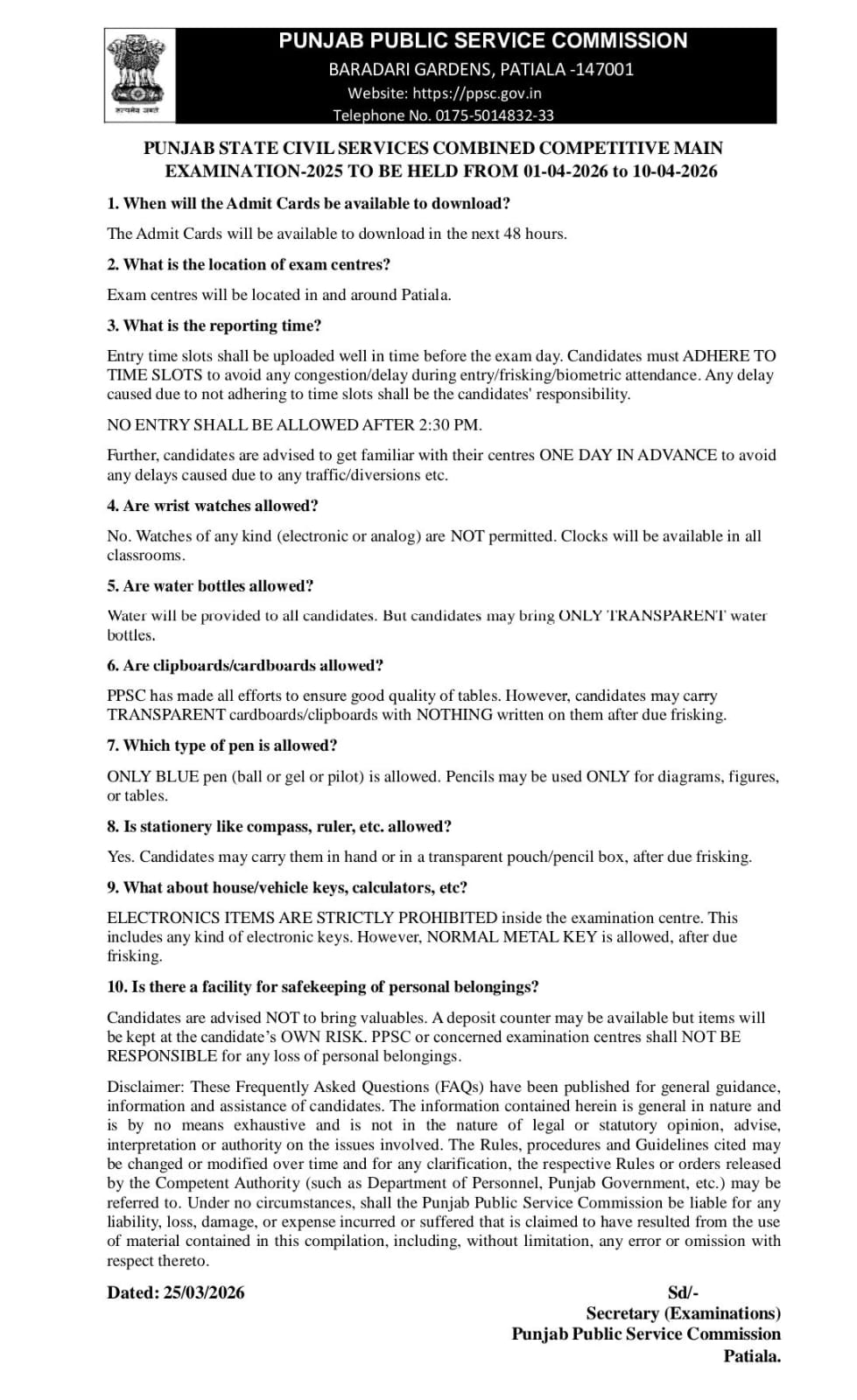
Punjab PCS Admit Card 2026 – Overview
The Punjab PCS Admit Card 2026 is an important document required to appear in the mains examination. It contains essential details such as the candidate’s name, roll number, exam centre, reporting time, and important instructions for the exam day. Candidates must download the admit card from the official website and carry a printed copy to the examination centre along with a valid photo ID proof for verification.
| PPSC Mains Admit Card 2026: Key Highlights |
|
Important Details
|
Important Information
|
|
Vacancies
|
Punjab PCS Mains Admit Card 2026- Download Link
The Punjab PCS Mains Admit Card 2026 has been released on the official website of the Punjab Public Service Commission. Candidates who have qualified for the mains examination can download their admit card by logging in with their registration number and date of birth at ppsc.gov.in. It is advised that candidates download the hall ticket as soon as it is available and check all the details carefully. The admit card must be carried to the examination centre along with a valid photo ID proof for entry into the exam hall.
Punjab PCS Mains Admit Card 2026- Download Now
Steps To Download Punjab PCS Mains Hall Ticket 2026
Candidates can follow the steps given below to download the Punjab PCS Mains Hall Ticket 2026 from the official website.
- Visit the official website of the Punjab Public Service Commission at ppsc.gov.in.
- On the homepage, find and click on the link for “Punjab PCS Admit Card 2026.”
- Enter your registration number and date of birth in the login section.
- Click on the submit button to view your admit card.
- Download the admit card and take a printout for future reference.
Candidates should carefully check all the details mentioned on the admit card before the examination day.
Details Mentioned On Punjab PCS Admit Card 2026
The Punjab PCS Mains Admit Card 2026 contains several important details related to the candidate and the examination. Candidates should carefully check all the information printed on the admit card after downloading it.
- Candidate’s Name
- Roll Number
- Registration Number
- Photograph and Signature of the Candidate
- Exam Centre Name and Address
- Exam Date and Reporting Time
- Examination Instructions
- Category of the Candidate
- Name of the Examination Conducting Authority
Important Instructions For Punjab PCS Mains Exam 2026
Candidates appearing for the Punjab PCS Mains Exam 2026 must follow the instructions mentioned on the admit card to avoid any issues on the exam day.
- Carry a printed copy of the Punjab PCS Mains Admit Card 2026 to the exam centre.
- Bring a valid photo ID proof such as Aadhaar Card, PAN Card, or Voter ID.
- Reach the examination centre before the reporting time mentioned on the admit card.
- Do not carry mobile phones or electronic devices inside the exam hall.
Follow the instructions given by the invigilators during the examination.
What To Do If Facing Trouble Downloading Admit Card?
If you are unable to download your Punjab PCS Mains Admit Card 2026, follow these troubleshooting steps and contact the PPSC helpline immediately.
- Step 1: Clear your browser cache and cookies, then try accessing the page again in a new window.
- Step 2: Use a different browser such as Chrome, Firefox, Edge, or Safari.
- Step 3: Verify your login details and ensure your Registration Number and Password/Date of Birth are entered correctly.
- Step 4: Click on the “Forgot Password” option if you cannot remember your password.
- Step 5: Check that your internet connection is stable.
- Step 6: Attempt to download during non-peak hours (early morning or late night) to avoid heavy traffic.
- Step 10: While contacting support, keep your Registration Number, Roll Number (if available), and a screenshot of the error ready.

 BPSC AEDO Admit Card 2026 Out @bpsc.biha...
 PSSSB Group D Admit Card 2026 Out at sss...
 Bihar Vidhan Parishad Admit Card 2026 Ou...


 Adda247 Job portal has complete information about all Sarkari Jobs and Naukri Alerts, its latest recruitment notifications, from all state and national level jobs and their updates.