
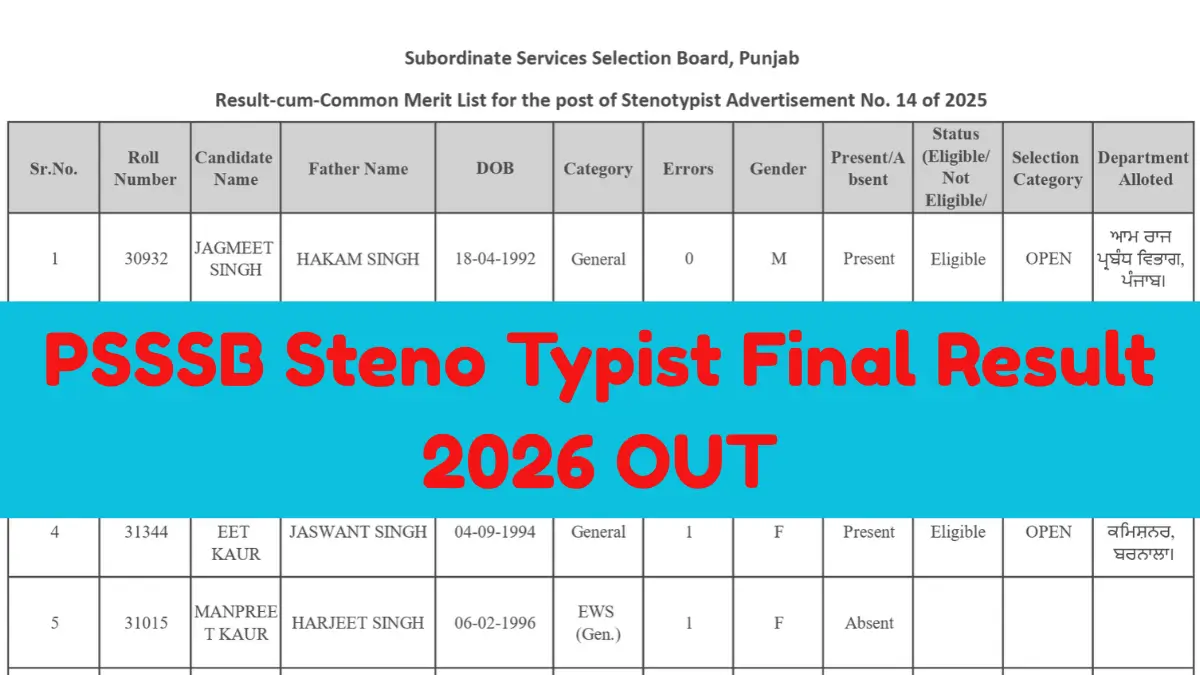
The PSSSB Steno Typist Final Result 2026 has been released by the Punjab Subordinate Services Selection Board (PSSSB) for candidates who appeared in the Stenotypist recruitment process under Advertisement No. 14/2025. Candidates can check their qualifying status and access the result PDF through the download link provided below. Important dates, merit list details, and steps to check the result are also provided below.
PSSSB Steno Typist Result 2026: Overview
Candidates can refer to the table below for key details about the PSSSB Steno Typist Result 2026.
| Particulars | Details |
|---|---|
| Recruiting Authority | Punjab Subordinate Services Selection Board (PSSSB) |
| Post Name | Stenotypist |
| Advertisement Number | 14/2025 |
| Examination | Stenotypist Recruitment Examination 2026 |
| Written Exam Date | 22 March 2026 |
| Steno Skill Test Dates | 28 June to 3 July 2026 |
| Result Status | Released |
| Result Format | |
| Official Website | sssb.punjab.gov.in |
PSSSB Steno Typist Final Result 2026 Download Link
The PSSSB Steno Typist Final Result 2026 PDF contains the result details of candidates who participated in the recruitment process under Advertisement No. 14/2025. Candidates can check their qualifying status by searching for their roll number in the result PDF. The PSSSB Steno Typist Final Result 2026 download link is provided below for candidates to access the available result notice.
Candidates should check their roll number and read the instructions mentioned in the result PDF carefully.
How to Download PSSSB Steno Typist Result 2026?
Candidates can follow these steps to check and download the PSSSB Steno Typist Result 2026 PDF:
- Visit the official website at sssb.punjab.gov.in.
- Open the results, notices, or relevant recruitment section.
- Find the result notice for Stenotypist under Advertisement No. 14/2025.
- Open the result PDF.
- Use the search function (Ctrl+F on a computer) to find your roll number.
- Check the result status and any remarks mentioned against your details.
- Download and save the PDF for future reference.
Details Mentioned on the PSSSB Steno Typist Result 2026
Candidates should review the information provided in the result PDF to ensure they have correctly identified their result. The document may include the following details, depending on the result format:
- Candidate roll number
- Candidate name and category, wherever provided
- Stenography skill test result or qualifying status
- Mistakes recorded during the skill test, where applicable
- Relevant examination and recruitment details
What After the PSSSB Steno Typist Result 2026?
Candidates should follow the instructions mentioned in the official result notice for the next stage of recruitment. Those who qualify should keep their educational certificates, category certificates (if applicable), identity proof, and other required documents ready for verification, if called.
Candidates should also check subsequent notices for document verification, eligibility checks, and appointment-related updates. Qualification in a skill test does not, by itself, confirm final appointment unless the board’s official selection notice establishes that status.







 KEA VAO Result 2026 Out at cetonlinekarn...
 WBSSC Group C and D Result 2026 Out Soon...
 RRB Group D Result 2026 Date, Download L...



 Adda247 Job portal has complete information about all Sarkari Jobs and Naukri Alerts, its latest recruitment notifications, from all state and national level jobs and their updates.