Table of Contents
The RRB JE Application process closed on 13 September for the 4029 vacancies across JE, CMA, & DMS posts, while the fee submission closed on 15 September 2026. Candidates who have already submitted their application successfully can modify their application form. The RRB JE Form Correction 2026 window is open from 16 September to 25 September 2026 for CEN 04/2026. Candidates can modify the permitted details in their submitted application by paying the ₹250 fee for each modification.
RRB JE Application Correction 2026: Summary
Candidates can check the important details of the RRB JE 2026 Application Form in the table below.
| Parameter | Details |
|---|---|
| Recruiting Authority | Railway Recruitment Boards (RRB) |
| Advertisement No. | CEN No. 04/2026 |
| Posts | Junior Engineer (JE), DMS, CMA, and Supervisor Posts |
| Total Vacancies | 4,029 Posts |
| Correction Window Starts | 16 September 2026 |
| Correction Window Ends | 25 September 2026 |
| Registration Mode | Online Only |
| Official Website | rrbapply.gov.in |
RRB JE Application Correction 2026: Latest Update
- The Form correction window is open from 16 September to 25 September 2026.
- A ₹250 modification fee is charged for each modification in the application form.
- Candidates should check all corrected details before final submission.
- Account-creation details cannot be modified through this correction facility.
- The modification fee (₹250) is non-refundable.
- Candidates should save a copy of the modified application after submission for later use.
Check RRB JE Application Form Status 2026 – Click Here
RRB JE Application Correction 2026: Important Dates
The RRB JE Application Form correction started on 16 September 2026, and candidates can modify their application details till 25 September 2026.
| Event | Date |
|---|---|
| RRB JE Application Start Date | 14 August 2026 |
| Last Date to Apply Online | 13 September 2026 |
| Last Date for Fee Payment | 15 September 2026 |
| Correction Window Starts | 16 September 2026 |
| Correction Window Ends | 25 September 2026 |
| Modification Fee | ₹250 per modification |
| Scribe Details Submission | 26–30 September 2026 |
RRB JE Application Correction 2026 Direct Link
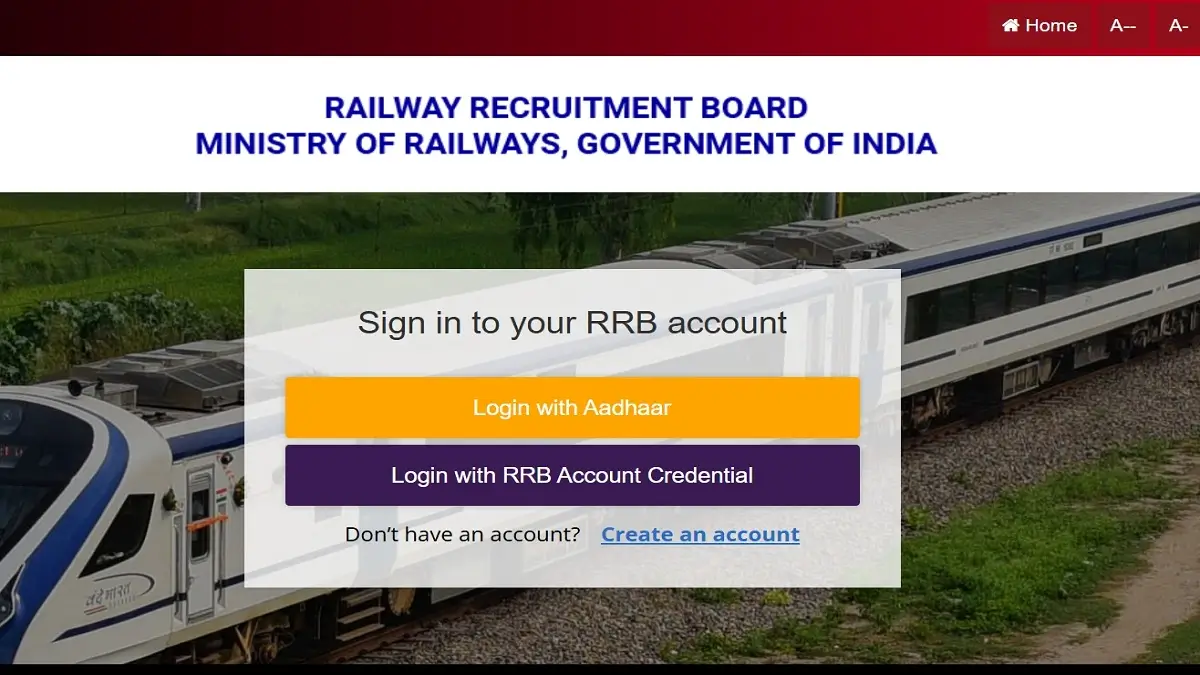
The RRB JE Application Form Correction window has started on 16 September 2026. Candidates can modify their application form through the form correction window till the last date, 25 September 2026. Candidates can make corrections only in permitted fields, while details entered during account creation can not be changed. A direct link to the application form correction window is given below.
How to Correct RRB JE Application Form 2026?
Candidates can follow these steps to modify their RRB JE application form:
- Visit the official RRB application portal.
- Log in using the required registration credentials.
- Open the CEN 04/2026 application & select the application modification/correction option.
- Check the details that can be modified & make corrections carefully.
- Pay the applicable ₹250 modification fee per correction.
- Submit the modified application form.
- Download and save the revised application/confirmation page for future reference.
RRB JE Application Form Correction Fees
Candidates have to pay a ₹250 non-refundable fee for each modification made during the correction window. Candidates should check all details before final submission to avoid unnecessary modifications.
- Modification Fee: ₹250 per modification
RRB JE Zone-Wise Website
Candidates can check all 21 RRB zone-wise official links in the table below.
| RRB Zone / Board | Official Portal Link |
|---|---|
| RRB Ahmedabad | rrbahmedabad.gov.in |
| RRB Ajmer | rrbajmer.gov.in |
| RRB Bangalore | rrbbnc.gov.in |
| RRB Bhopal | rrbbhopal.gov.in |
| RRB Bhubaneswar | rrbbbs.gov.in |
| RRB Bilaspur | rrbbilaspur.gov.in |
| RRB Chandigarh | rrbcdg.gov.in |
| RRB Chennai | rrbchennai.gov.in |
| RRB Gorakhpur | rrbgkp.gov.in |
| RRB Guwahati | rrbguwahati.gov.in |
| RRB Jammu-Srinagar | rrbjammu.nic.in |
| RRB Kolkata | rrbkolkata.gov.in |
| RRB Malda | rrbmalda.gov.in |
| RRB Mumbai | rrbmumbai.gov.in |
| RRB Muzaffarpur | rrbmuzaffarpur.gov.in |
| RRB Patna | rrbpatna.gov.in |
| RRB Prayagraj | rrbald.gov.in |
| RRB Ranchi | rrbranchi.gov.in |
| RRB Secunderabad | rrbsecunderabad.nic.in |
| RRB Siliguri | rrbsiliguri.gov.in |
| RRB Thiruvananthapuram | rrbthiruvananthapuram.gov.in |
Common Mistakes to Avoid While Filling RRB JE Application Form
A small mistake in the application form can create problems later. Candidates should avoid these common errors given below while filling the application form:
| Common Mistakes | Details |
| Entering Incorrect Personal Details | Candidates must recheck their name, date of birth, parent’s name, & other personal information before submitting the form. |
| Using an Incorrect Email ID or Mobile Number | Use an active mobile number a& email ID because all important updates will be sent through these details. |
| Uploading Unclear Documents | Candidates must make sure that all documents such as photograph, signature, and certificates are clear and meet the required specifications. |
| Selecting the Wrong Railway Preference | Check the detailed RRB-wise, post-wise, and discipline-wise vacancy distribution carefully before final zone selection. |
| Not Paying the Application Fee | Candidates must submit the application fee. Completing the form without fee payment can result in an incomplete application. |
| Waiting Until the Last Day | Avoid submitting the application at the last moment to avoid high website traffic, payment failure, or other technical issues. |
| Not Saving the Application Form | After successful submission, candidates must download or save a copy of the application form and payment receipt for future reference (document verification |
Documents Required for RRB JE Application Form 2026
Candidates should keep their personal, educational and profile documents ready before filling out the RRB JE application form.
| Document/Detail | Purpose |
|---|---|
| Aadhaar/Valid Photo ID | Identity authentication |
| Active Mobile Number | OTP and communication |
| Active Email ID | Login/application communication |
| Matriculation Certificate | Name and date-of-birth details |
| Diploma/Degree Certificate | Educational qualification |
| Marksheets | Qualification details |
| Caste Certificate | SC/ST/OBC-NCL claim, if applicable |
| EWS Certificate | EWS reservation, if applicable |
| PwBD Certificate | PwBD benefits, if applicable |
| Ex-Servicemen documents | Reservation/benefits, if applicable |
| Scanned Signature | For Application Use |
| Live Photograph | For Application Use |
| Bank/Payment Details | For Application Fee Refund |
Candidates should ensure that the uploaded documents are clear and meet the required format as mentioned in the application instructions.
How to Create an Account for RRB JE 2026?
Candidates must first create an RRB account before applying for the application form. The details provided in the account creation process cannot be changed during the modification window.
- Visit the official RRB application portal.
- Select the option to create an account.
- Enter the required personal and Matriculation details.
- Enter a valid personal mobile number and email ID.
- Complete OTP verification.
- Complete identity authentication through the available option.
- Create/login using the credentials generated by RRB.
- Keep the registration/login details for later use.
How to Fill RRB JE Application Form 2026?
Candidates can follow the simple steps given below to fill out the RRB JE Application Form 2026:
- Visit the official RRB application website at rrbapply.gov.in.
- Select CEN No. 04/2026 for Junior Engineer (JE), DMS, & CMA posts.
- Click on New Registration and create an account using your active Email ID & Mobile Number.
- Candidates who have already registered in any previous RRB cycle can use their existing login credentials.
- Log in using the registration details.
- Enter your personal details, such as Name, Father’s/Mother’s name, Date of birth, Gender, Nationality, Community/category, & other required personal information.
- Enter your educational qualification details, such as Qualification, Discipline/branch, Board/university, Year of passing, Marks/percentage, & Certificate details wherever required.
- Upload the photograph, signature, and other required documents.
- Select RRB zone and Post Preferences.
- Recheck all the details filled in the application form, such as Name, DOB, category, educational qualification, RRB selected, post preferences, uploaded documents, & Other application details.
- Pay the application fee through the online payment methods.
- Submit the application form & download and save the confirmation page/payment receipt for future reference
RRB JE Application Fee 2026
| Candidate Category | Application Fee | Refundable Fee |
|---|---|---|
| General | ₹500 | ₹ 400 |
| OBC | ₹500 | ₹ 400 |
| EWS | ₹500 | ₹ 400 |
| SC/ST | ₹250 | ₹250 |
| Ex-Servicemen | ₹250 | ₹250 |
| PwBD | ₹250 | ₹250 |
| Female Candidates | ₹250 | ₹250 |
| Transgender Candidates | ₹250 | ₹250 |
| Minorities | ₹250 | ₹250 |
| EBC | ₹250 | ₹250 |
Fee Refund Policy
- Only candidates who appear in the 1st Stage CBT will be eligible for the refund of the application fee after deduction of applicable bank charges.
- If the candidate’s application is rejected, incomplete, submitted with incorrect details, or the candidate does not appear for the 1st Stage CBT, there will be no refund of the fees.
- To receive the refund successfully, candidates must confirm that their bank account information is accurate.







 ISRO Apprentice Recruitment 2026 Out, Ap...
 MJP JE Syllabus 2026, Check Exam Pattern...
 MJP JE Result 2026 Out for Civil, Check ...