
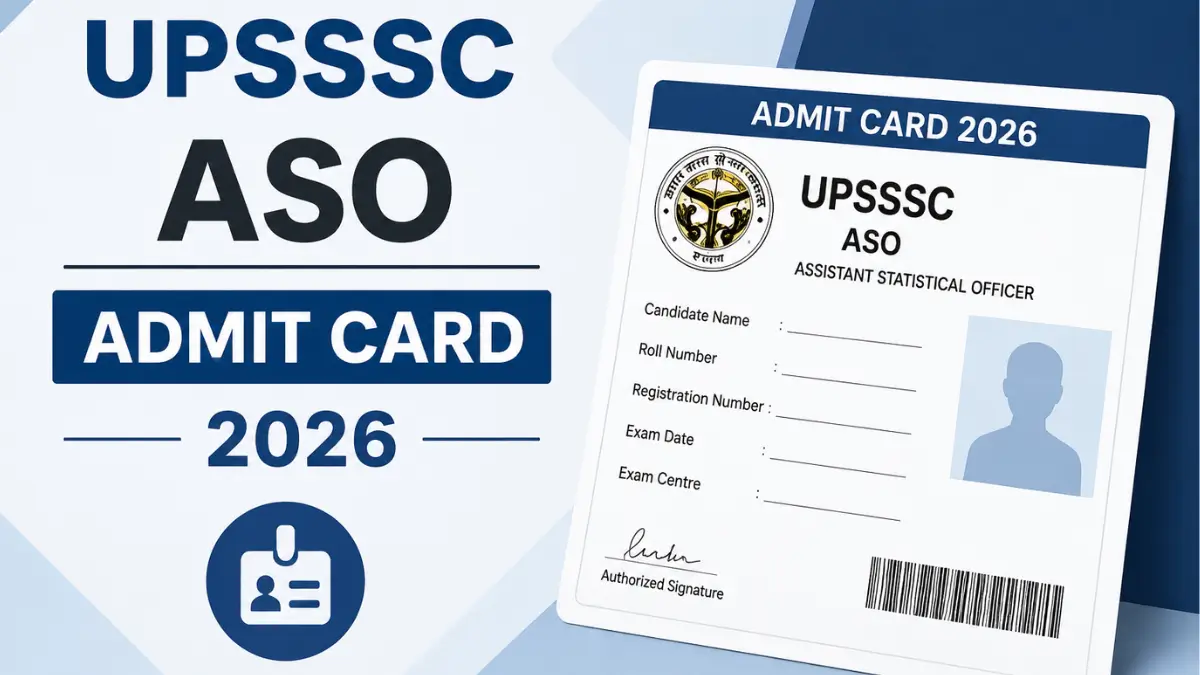
The Uttar Pradesh Subordinate Services Selection Commission (UPSSSC) has released the admit card for the Assistant Statistical Officer (ASO) / Assistant Research Officer (ARO) Mains Examination 2026, under Advertisement No. 05-Exam/2026. Candidates appearing for the exam, scheduled to be held on 26th July 2026, can now download their hall ticket from the official website, upsssc.gov.in, using their registration number and date of birth.
UPSSSC ASO Admit Card 2026 Out
The ASO admit cards is now available for its 2026 exams, and candidates must download them online before the exam date. To get the UPSSSC admit card 2026, visit the official website (upsssc.gov.in), open the “Admit Card / Examination” section, enter your registration details (such as registration number, date of birth, and captcha), and then download and print the hall ticket for the exam.
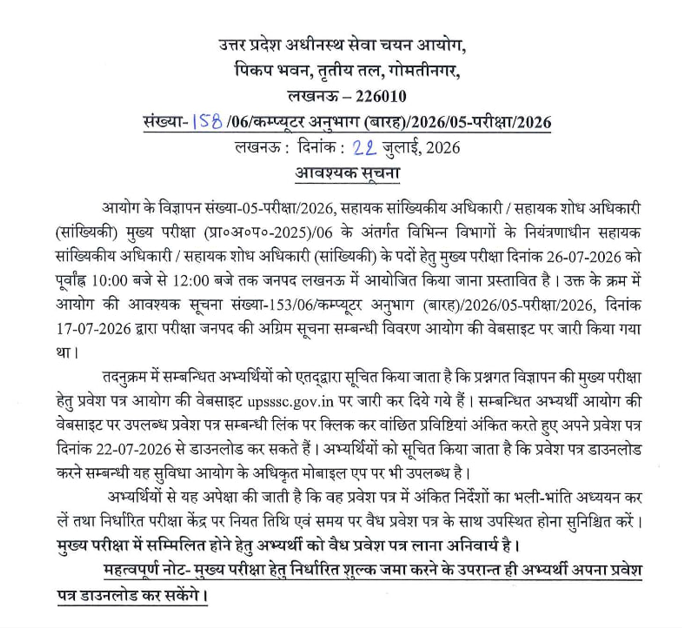
UPSSSC ASO Call Letter 2026: Overview
The UPSSSC ASO Main Examination is scheduled to be held on 26 July 2026. The admit card generally Contain Important details regarding Exam Date and Time, Exam Center, Reporting Time, Roll Number, Registration Number, Photograph, signature and more. The Hall Ticket is a mandatory document that must be carried to the examination centre along with a valid photo ID.
| Particulars | Details |
| Organization | Uttar Pradesh Subordinate Service Selection Commission (UPSSSC) |
| Post Name | Assistant Statistical Officer (ASO) |
| Exam Name | UPSSSC ASO Main Examination 2026 |
| Admit Card Status | Released |
| Admit Card Release Mode | Online |
| Exam Date | 26 July 2026 |
| Exam Timing | 10:00 AM to 12:00 PM |
| Official Website | upsssc.gov.in |
UPSSSC ASO Admit Card 2026 Download Link
The UPSSSC has activated the admit card download link on its official portal. Candidates should verify all personal and examination details after downloading the hall ticket. In case of any discrepancy, they should immediately contact the commission before the examination date.
Steps to Download UPSSSC ASO Hall Ticket 2026
Follow these steps to download the admit card:
- Go to the official UPSSSC website: upsssc.gov.in.
- On the homepage, click on the “Admit Card / Examination” or similar link.
- Find and select the link for “Assistant Statistical Officer (ASO) Mains Admit Card 2026”
- Enter your Registration Number/Application ID, Date of Birth, Gender, and the captcha code exactly as asked.
- Click on the “Download Admit Card” or “Proceed” button.
- Check all details on the admit card (name, exam date, exam city, reporting time, photo, etc.).
- Click on the download icon and save the admit card as a PDF on your device.
- Take at least 1–2 clear printouts and keep them safely for exam day, along with a valid photo ID.
Details Mentioned on the Admit Card
Candidates should carefully check the following information printed on the hall ticket:
- Candidate’s Name
- Roll Number
- Registration Number
- Photograph and Signature
- Exam Date and Time
- Examination Centre Name and Address
- Reporting Time
- Important Instructions for Candidates
Documents to Carry Along with the Admit Card
Carry these items along with your UPSSSC ASO Admit Card 2026:
- Printed copy of the UPSSSC ASO Admit Card (preferably 2–3 printouts).
- Any One original valid photo ID proof such as Aadhaar Card, Voter ID Card, PAN Card, Driving Licence, Passport etc.
- Two recent passport‑size colour photographs (same as on the application form, if possible).
- A simple black ballpoint pen (or as specified in the admit card instructions).
- Any other document specifically mentioned in the admit card or official exam instructions (for example, disability certificate for PwD candidates, if applicable).
What to Do If You Cannot Download the Admit Card?
If candidates face any issue while downloading the admit card, they should:
- Verify that the registration details entered are correct.
- Use an updated web browser and stable internet connection.
- Clear the browser cache and try again.
- Contact the UPSSSC helpdesk if the issue persists before the examination date.
Important UPSSSC ASO Exam Day Instructions
Candidates should follow these important guidelines:
- Reach the examination centre at least 60 minutes before the reporting time.
- Carry only permitted items inside the examination hall.
- Electronic gadgets such as mobile phones, smartwatches, calculators, and Bluetooth devices are strictly prohibited.
- Follow all instructions issued by the invigilators throughout the examination.
- Ensure that the admit card remains in good condition until the recruitment process is completed.






 PGIMER Nursing Officer Admit Card 2026 O...
 UPSSSC Junior Assistant Admit Card 2026 ...
 Bihar Librarian SLET Dummy Admit Card 20...



 Adda247 Job portal has complete information about all Sarkari Jobs and Naukri Alerts, its latest recruitment notifications, from all state and national level jobs and their updates.